Come organizzare una partita a Famiglie d'Italia per gruppi numerosi (50+ persone)
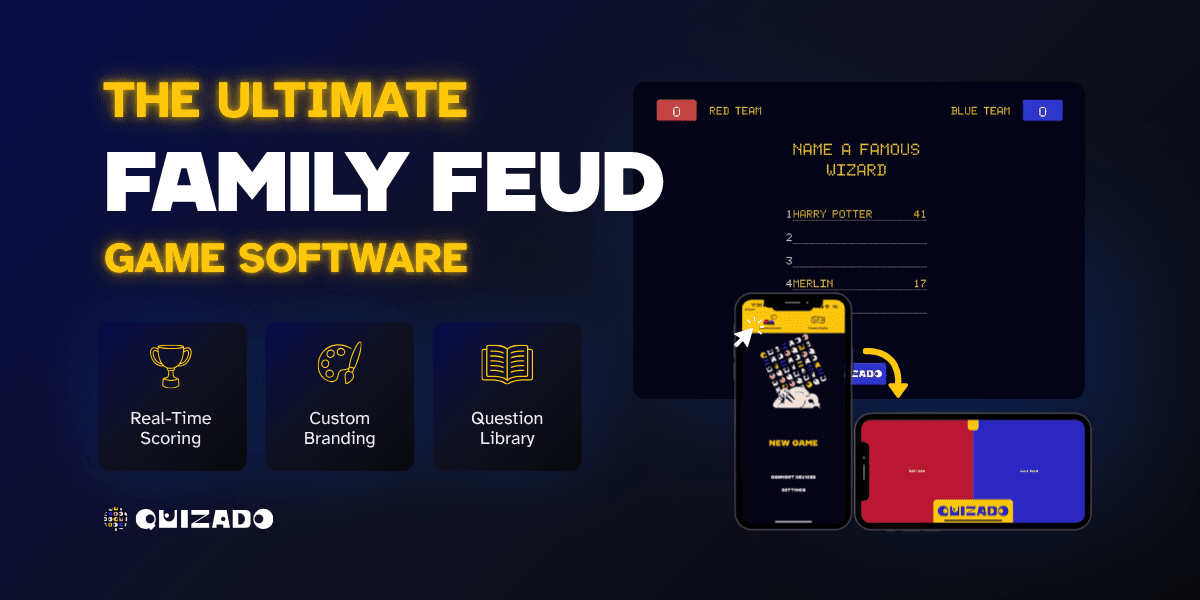
La sfida di Famiglie d'Italia con gruppi numerosi
Famiglie d'Italia è uno dei migliori giochi di gruppo mai creati. Cinque persone per squadra, un tabellone con le risposte a un sondaggio e un conduttore: basta questo per divertirsi. Ma cosa succede quando il gruppo non è di 10 persone? E se fossero 50, 100 o addirittura 200?
Il gioco rimane lo stesso, ma la logistica cambia. Devi pensare a visibilità, audio, gestione delle squadre, ritmo e coinvolgimento del pubblico: aspetti trascurabili quando si gioca nel salotto di qualcuno, ma decisivi per la riuscita di un grande evento.
Ecco tutto quello che devi sapere per organizzarlo al meglio.
Allestire lo spazio per gruppi numerosi
Schermo e proiezione
Su questo non si discute: tutti devono poter vedere chiaramente il tabellone di gioco.
- Per gruppi di 50–100 persone, basta un unico grande schermo da proiezione (almeno 100 pollici) o un televisore da almeno 75 pollici, se la sala non è troppo profonda.
- Per gruppi di 100–200 persone, valuta due schermi, uno per lato del palco, oppure una superficie di proiezione molto ampia.
- Per gruppi di oltre 200 persone, serve un impianto audio e video professionale con più schermi ed eventualmente una ripresa in diretta del conduttore e dei concorrenti.
Consiglio pratico: verifica la visibilità dall'ultima fila prima dell'evento. Se dal posto più lontano non riesci a leggere il testo più piccolo sul tabellone, serve uno schermo più grande.
Impianto audio
In una sala grande, la voce del conduttore deve arrivare ovunque. Un microfono a mano o da bavero è indispensabile, non facoltativo.
- Microfono wireless per il conduttore — dovrà muoversi in giro.
- Un secondo microfono per i concorrenti — così il pubblico potrà sentire le loro risposte durante i duelli iniziali.
- Casse rivolte verso il pubblico, non verso il palco. Un errore comune è orientarle verso i concorrenti anziché verso la platea.
- Effetti sonori — suoni dei pulsanti, segnali di errore e sigla rendono lo spettacolo molto più coinvolgente. Riproducili attraverso lo stesso impianto audio.
Palco o area di gioco dedicata
Con oltre 50 persone, non basta mettersi in piedi davanti alla sala. Serve un'area di gioco ben definita.
- Un palco o una pedana rialzata, anche di soli 15–30 cm, migliora notevolmente la visibilità.
- Due postazioni con leggii per le squadre in gara, ai lati dello schermo.
- Uno spazio per il conduttore tra le due postazioni.
- Una postazione centrale con pulsante per i duelli iniziali.
Disposizione dei posti
- La disposizione a platea è la migliore per i turni seguiti dagli spettatori: file di sedie rivolte verso il palco.
- I tavoli rotondi sono adatti se le squadre devono riunirsi e confrontarsi tra un turno e l'altro.
- Lascia liberi i corridoi centrali, così le squadre potranno raggiungere rapidamente il palco quando toccherà a loro.
Strategie per formare le squadre
La gestione delle squadre è la sfida logistica più impegnativa con gruppi numerosi. Ecco tre approcci collaudati:
Opzione 1: squadre prestabilite (ideale per eventi aziendali)
Forma squadre di 5–6 persone prima dell'evento. Mescola reparti, livelli di anzianità e sedi. Comunica la composizione delle squadre via email il giorno prima.
Vantaggi: squadre equilibrate, interazione tra reparti, nessuna perdita di tempo durante l'evento. Svantaggi: richiede una pianificazione anticipata e l'elenco dei partecipanti.
Opzione 2: squadre per tavolo (ideale per serate di gala e cene)
Se le persone sono già sedute ai tavoli, ogni tavolo diventa una squadra. Assegna a ciascun tavolo un numero di squadra.
Vantaggi: nessun tempo di preparazione, lo spirito di squadra nasce spontaneamente durante la cena. Svantaggi: le squadre possono avere dimensioni diverse; i tavoli composti da persone dello stesso reparto non favoriscono lo scambio tra colleghi di reparti diversi.
Opzione 3: scelta dei componenti o sorteggio (ideale per eventi informali)
Estrai i nomi da un cappello oppure usa un generatore casuale di squadre. Lascia che i partecipanti si scambino di squadra, se lo desiderano.
Vantaggi: equità, divertimento ed effetto sorpresa. Svantaggi: servono 10–15 minuti per organizzare tutto.
Quante squadre?
| Dimensioni del gruppo | Numero di squadre | Formula |
|---|---|---|
| 50–60 | 8–10 squadre | Tabellone a eliminazione diretta |
| 60–100 | 10–16 squadre | Fase a gironi → semifinali → finale |
| 100–200 | 16–20 squadre | Turni preliminari ai tavoli → le migliori squadre passano al palco |
Formule di torneo che funzionano
Tabellone a eliminazione diretta
È la formula più semplice da gestire. Le squadre si affrontano a due a due; chi perde viene eliminato. Ideale per 8–16 squadre.
Durata: ogni incontro richiede 8–10 minuti. Un torneo a 8 squadre dura circa 70 minuti, pause comprese.
Fase a gironi + fase a eliminazione diretta
Dividi le squadre in gironi da 4. Ogni squadra disputa 2–3 incontri nel proprio girone. Le migliori di ciascun girone passano alla fase a eliminazione diretta.
Durata: la fase a gironi richiede 30–40 minuti, quella a eliminazione diretta altri 30. Totale: circa 75 minuti.
Turni ai tavoli + finali sul palco
Ideale per oltre 100 persone. Organizza turni preliminari simultanei ai singoli tavoli, ciascuno con il proprio schermo o con domande stampate. Le squadre con i punteggi più alti passano al palco principale per i turni finali.
Durata: i turni ai tavoli richiedono 20 minuti, le finali sul palco 30. Totale: circa 50–60 minuti.
Come coinvolgere oltre 50 persone
Il rischio maggiore nei giochi per gruppi numerosi è che il pubblico perda interesse durante i turni in cui la propria squadra non gioca. Ecco come mantenere tutti coinvolti:
1. Turni con la partecipazione del pubblico
Tra i turni principali, proponi domande rapide a tutta la sala. Tutti votano dal proprio telefono usando uno strumento come Quizado, poi vengono svelate le risposte più popolari. Così l'intera sala partecipa attivamente.
2. Scommesse amichevoli e pronostici
Prima di ogni turno, chiedi al pubblico di indovinare quale squadra vincerà. Tieni il conto dei pronostici azzeccati. Alla fine, assegna un piccolo premio a chi ne ha indovinati di più.
3. Dai al pubblico la possibilità di «rubare» i punti
Quando una squadra commette tre errori e quella avversaria non riesce a rubare i punti, passa la parola al pubblico. La prima persona a gridare una delle risposte corrette ancora da scoprire vince un piccolo premio.
4. Classifica in tempo reale
Mostra una classifica aggiornata su un secondo schermo o monitor. Niente tiene il pubblico con il fiato sospeso quanto una sfida all'ultimo punto.
5. Musica e pause per ricaricarsi
Metti musica vivace tra un turno e l'altro. Fai interagire il conduttore con il pubblico. Proponi al volo un «Alzatevi se vi è mai capitato di...» per far muovere un po' tutti.
6. Cibo e bevande
Se possibile, offri cibo e bevande durante l'evento. Le persone sono più pazienti e partecipi quando non hanno fame.
Gestire le prenotazioni di risposta con gruppi numerosi
I pulsanti per prenotarsi sono fondamentali in Famiglie d'Italia. Per gli eventi con molti partecipanti, hai diverse opzioni:
- Pulsanti sul telefono — La soluzione più pratica. Quizado permette ai concorrenti di prenotarsi dal proprio telefono. Nessun dispositivo aggiuntivo, nessuna pila, nessuna scusa.
- Pulsanti fisici — Divertenti e piacevoli da premere, ma devi gestirli tra un turno e l'altro, quando le squadre si alternano.
- Alzata di mano + decisione del conduttore — Può bastare come soluzione di fortuna per eventi informali, ma rischia di generare discussioni.
Per i grandi eventi, i pulsanti sul telefono sono la scelta vincente. Si adattano a qualsiasi numero di partecipanti, sono affidabili e tutti hanno già in tasca il dispositivo necessario.
Guida ai tempi e al ritmo dell'evento
Con un gruppo numeroso, il ritmo è tutto. Ecco una scaletta consigliata per un evento di 90 minuti:
| Tempo | Attività |
|---|---|
| 0:00 – 0:10 | Benvenuto, spiegazione delle regole, assegnazione delle squadre |
| 0:10 – 0:20 | Turno 1 (2 incontri in contemporanea, se possibile) |
| 0:20 – 0:25 | Domanda al pubblico + aggiornamento della classifica |
| 0:25 – 0:40 | Turni 2–3 |
| 0:40 – 0:45 | Intervallo — musica, spuntini, pausa bagno |
| 0:45 – 1:00 | Semifinali |
| 1:00 – 1:05 | Creazione dell'atmosfera e presentazione dei finalisti |
| 1:05 – 1:20 | Finale + Fast Money |
| 1:20 – 1:30 | Premiazione, foto, festeggiamenti |
Regola fondamentale: non lasciare mai che l'evento superi i 90 minuti. Dopo, l'energia cala bruscamente. Se hai troppe squadre, accorcia i turni preliminari oppure fai disputare più incontri contemporaneamente.
Errori comuni quando si organizza un evento per gruppi numerosi
- Non provare prima l'impianto audio e video. È la prima causa di insuccesso di un evento. Prova tutto sul posto almeno un'ora prima.
- Prevedere troppi turni. Di più non significa meglio. Taglia senza esitazioni per mantenere il ritmo serrato.
- Ignorare il pubblico. Se 40 persone guardano e 10 giocano, rischi di perdere l'attenzione della sala. Introduci momenti di partecipazione del pubblico.
- Scegliere un conduttore poco coinvolgente. Leggere con voce monotona non basta davanti a oltre 50 persone. Servono energia, umorismo e capacità di gestire il pubblico.
- Non prevedere premi. Anche premi simbolici, come un trofeo da sfoggiare, un buono regalo o ore di permesso retribuito in più, aumentano notevolmente il coinvolgimento.
- Usare sempre le stesse domande del sondaggio. Se le squadre possono scambiarsi le risposte tra un turno e l'altro, usa serie di domande diverse per ogni incontro.
Perché Quizado è pensato per i grandi eventi
Gestire manualmente Famiglie d'Italia per oltre 50 persone è un incubo organizzativo. Quizado è stato progettato proprio per questo:
- Funziona nel browser — Nessuna installazione. Si usa su qualsiasi dispositivo. Basta condividere un link.
- Pulsanti sul telefono — Ogni concorrente si prenota dal proprio telefono. La soluzione si adatta a gruppi di qualsiasi dimensione.
- Punteggio automatico — Nessun conteggio manuale. Nessuna discussione. I punteggi si aggiornano in tempo reale.
- Tabelloni dei sondaggi personalizzati — Carica le tue domande e le classifiche delle risposte.
- Più modalità di gioco — Gestisci turni standard, Fast Money e partecipazione del pubblico da un'unica piattaforma.
- Pronto per la condivisione dello schermo — Trasmetti il gioco su qualsiasi proiettore, televisore o schermo condiviso su Zoom.
- Funziona anche a distanza — Eventi ibridi con squadre in presenza e da remoto? Sono pienamente supportati.
Che tu stia organizzando una riunione con tutta l'azienda, una sessione di un convegno, una serata di gala di beneficenza o una rimpatriata di famiglia, Quizado trasforma un evento dalla logistica complessa in qualcosa che puoi preparare in meno di 20 minuti.
Organizza la tua partita a Famiglie d'Italia per gruppi numerosi su Quizado →
Lista di controllo finale per il tuo evento con gruppi numerosi
- Spazio prenotato con schermo e impianto audio adeguati
- Impianto audio e video provato sul posto (proiettore, microfono, casse, effetti sonori)
- Squadre formate e composizione comunicata ai partecipanti
- Domande dei sondaggi personalizzate scritte e caricate su Quizado
- Tabellone o formula del torneo definiti
- Conduttore scelto e informato su regole e ritmo dell'evento
- Premi acquistati
- Turni con la partecipazione del pubblico pianificati
- Piano di riserva per problemi tecnici (domande stampate, conteggio manuale dei punti)
- Foto e festeggiamenti dopo l'evento organizzati
Con la giusta preparazione, Famiglie d'Italia funziona alla grande anche con gruppi numerosi. L'energia di oltre 50 persone che fanno il tifo, si disperano e festeggiano insieme è qualcosa che nessuna presentazione PowerPoint potrà mai eguagliare. Il tuo sarà un evento che tutti ricorderanno davvero.
Organizza un quiz con il tuo gruppo
Pianifica una partita a casa o una serata trivia regolare nel tuo locale. Guarda come si configura e scegli l’opzione di conduzione adatta al tuo gruppo.

Inizia a Ospitare Bar Trivia Stasera
Scarica Quizado gratis e organizza la tua prima serata trivia stasera!
I giocatori partecipano dai telefoni