Two teams. One loud board.
Get them guessing, debating and shouting over each other. You judge the spoken answers and uncover the board.
- Nobody needs a phone — answers are called out and you mark them
- Reveals, strikes and the steal, all from the host screen
- Runs with no internet from sets you download in advance
Family Face-Off, our Family Feud-style game, is on every plan, the free Home plan too, and boards are free to build. Runs in the browser, on iOS and Android, as a desktop app for Mac and Windows, and on Apple TV and Google TV.
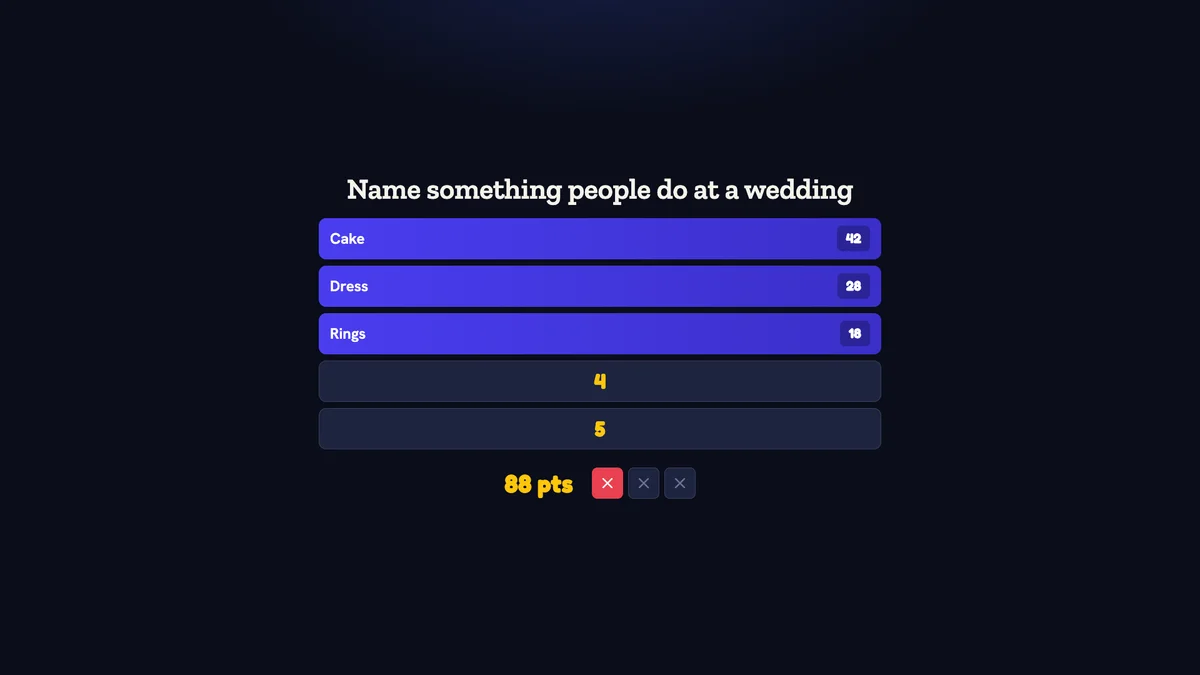
Inside Quizado · actual product screen
Play the whole game free.
Family Face-Off is on every plan, the free Home plan too.
Start a Family Face-Off night from any account.
Every question plays in full: survey board, strikes and the steal.
Want more? Paid plans lift the daily limit and add offline nights.
The free Home plan hosts 2 games a day.
The format that needs no explaining.
One survey-style prompt, six or eight hidden answers, and two teams trying to name the most popular ones. Wrong guesses earn a strike. Three strikes and the other team gets one chance to steal the whole board.
Everything happens out loud, which is why it works in a room where half the guests will not touch a phone. You read the prompt, you decide whether a shouted answer counts, and you tap to reveal. Quizado keeps the score, the strikes and the steal.
Five steps, start to finish.
Pick or build a set
Use a ready-made board, or write your own prompt with answers and point values in the editor.
Split the room
Two teams. Tables against each other, families at a wedding, or the top two from an earlier trivia round.
Read the prompt
Put the board up, read the question out loud and let both teams start guessing.
Reveal and strike
Tap an answer to reveal it. Mark wrong guesses as strikes. The board and the sounds do the drama.
Play the steal
Three strikes hands the other team one shot at the remaining board. Then bank the points and move on.
Your own prompts, in about ten minutes.
Write the question, add your answers and give each one a point value. Use a real survey of your own group, or set the values yourself — the total does not have to be 100.
- Six or eight answers per board, your call
- Import prompts in bulk from a CSV or Excel file, with a free preview
- Download your board before an offline night
- Practise the reveal buttons before the room arrives
Inside Quizado · actual product screen
Everything the format needs.
No hardware, no hand-drawn board, no scorekeeper.
Answer reveals
Tap to uncover an answer with the sound and the points. Hide it again if you revealed the wrong row.
Strikes and the steal
Three strikes passes control. Quizado tracks whose turn it is and what the steal is worth.
Host-side answers
The room sees the board. You see every hidden answer and its value on your own screen.
Your own scoring
Point values are yours to set. Run a real survey of your group, or weight the answers by feel.
Offline play
Download the set and the whole game runs from your machine with no internet at all.
Your logo on the display
Your logo, fonts, colours, sounds and background with Business. The Quizado mark stays on the board.
Family Face-Off runs with no internet.
Bad venue Wi-Fi is the normal case, not the exception. Download the set while you have signal and the full game — board, reveals, strikes, scoring — runs from your own machine.
- The full game, all rounds and scoring
- Questions, answers and images from downloaded sets
- Your own sets, including edits made offline
- Casting to a TV over local Wi-Fi or HDMI
- Scores and winners, saved locally
- Phone buzzers — teams answer out loud instead
- Buying or browsing new question packs
- AI question generation
- League standings and shareable recaps
- Refreshing an expired download
Straight answers.
How many people can play Family Feud?
Two teams of any size. A team can be two people or a table of ten — they confer and one person calls the answer.
Do players need phones?
No. Family Face-Off is played out loud, which makes it the right choice for a room where not everyone wants to use a phone.
Can I write my own questions and answers?
Yes. Write prompts, answers and point values in the editor, or import them in bulk. There is also a free board maker on this site you can try without an account.
Which plan includes Family Face-Off?
Every plan, the free Home plan too, with 2 games a day. Your own boards play from Pro, and offline hosting comes with every paid plan.
Does it work without Wi-Fi?
Yes — download the set in advance and the whole game runs from your machine. Phone buzzers are the only thing you lose.
Is this the official TV show?
No. Family Face-Off is a survey game in the same tradition as Family Feud (Family Fortunes in the UK), with your own questions and answers. Its Speed Round plays like Fast Money. Nothing here is official Family Feud material.
Put two tables head to head this week.
Download the app, open a ready-made board and split the room. Everything else happens out loud.
Offline hosting on desktop and mobile · Internet required in the browser