Il quiz aziendale che il tuo team ricorderà
Open your offsite, all-hands or holiday party with Family Face-Off: ready-made packs, nothing for the host to learn, and teams buzz in from their phones in the browser with no app. Pay for the one event with an Event Pass, no subscription. Bar Trivia and QuizoParty are there too.
Family Face-Off: ready in minutes, nothing to learn
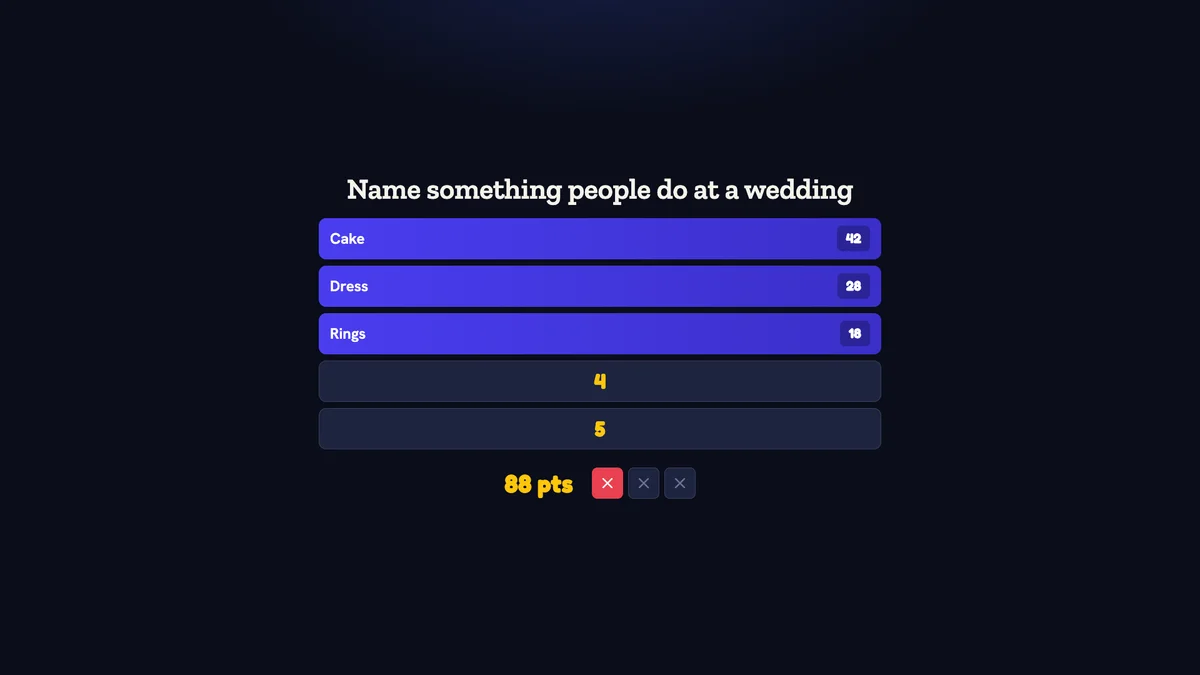
Teams guess the most popular answers to a survey question, and you reveal them on the big screen. Pick a ready-made pack, put the board on the TV and play. The scores add up by themselves.
Rather run a quiz? Bar Trivia and the QuizoParty board come with it too.
Un quiz di team che sa davvero di team building
La maggior parte dei software di "team building" è un foglio di lavoro, un bot per slack o un quiz settimanale via email: il tipo di cosa che il tuo team archivia senza leggere. Un quiz aziendale è diverso. È un evento dal vivo, sul grande schermo, con buzzer da smartphone, punteggio in tempo reale e rivalità tra squadre che creano un legame autentico nella sala.
Quizado è la piattaforma che le aziende usano per organizzare questi eventi. L'AI genera in pochi minuti round a tema aziendale: battute interne, storia dell'azienda, quiz di settore, riferimenti solo di quest'anno. Le squadre partecipano dallo smartphone con un codice QR, i punteggi si aggiornano sul grande schermo e la sala esulta e si dispera insieme.
Usalo per offsite, riunioni plenarie, feste di fine anno, i venerdì mensili in team, il benvenuto ai nuovi assunti, per caricare i sales kickoff o come defaticamento di 30 minuti al venerdì pomeriggio. Funziona altrettanto bene per team in presenza, team completamente da remoto su Zoom e configurazioni ibride.
Cosa ottieni
Pensato per conduttori e locali che devono apparire professionali fin dal primo giorno.
L'AI crea il round della tua azienda
Scrivi "battute interne dell'azienda di quest'anno" oppure "il nostro settore nelle notizie" e l'AI genera un round di quiz completo. Modifica, rifinisci e gioca: la preparazione è la parte che non devi più fare.
Buzzer da smartphone dal vivo e punteggio a squadre
I giocatori partecipano dallo smartphone, formano le squadre e premono i buzzer in tempo reale. La classifica sul grande schermo si aggiorna dal vivo. Sembra un vero game show, non un quiz da webinar.
Funziona in presenza, da remoto o in modalità ibrida
Condividi il tuo schermo su Zoom, Google Meet o Teams. I colleghi da remoto partecipano dal laptop o dallo smartphone. Quelli in presenza scansionano un codice QR. Stessa esperienza in entrambi i casi.
Classifica sul grande schermo
Tabellone pronto per il proiettore con colori delle squadre e animazioni. L'elemento visivo centrale di un offsite o di una riunione plenaria che coinvolge davvero la sala.
Brandizzato con la tua azienda
Put your company logo, fonts, colors and a custom background on the big screen with Business or a Full Event Pass, so the game looks like your event, not a generic trivia app.
Nothing for players to install
Players join in the phone browser by scanning a QR code or typing the code. No app download and no player account.
Chi lo usa
Offsite e riunioni plenarie
Organizza un segmento di quiz di 30-45 minuti come momento sociale clou di un offsite più lungo o di una riunione plenaria trimestrale.
- +L'AI crea round sulla storia aziendale e sulle battute interne
- +La classifica sul grande schermo crea momenti autentici
- +Squadre da 4-6 persone con un capitano
- +Round finale opzionale con Wager per un gran finale ad alta posta
Team da remoto e distribuiti
Un quiz che funziona altrettanto bene su Zoom quanto in una sala riunioni. La soluzione al problema del "team building via webcam è imbarazzante".
- +Condividi il tuo schermo con il tabellone di gioco
- +Incolla il link di partecipazione in chat
- +I colleghi da remoto partecipano da smartphone o laptop
- +Scores update live on the shared screen
Sales kickoff e conferenze
Round energizzante durante un'agenda lunga. Quello a cui i relatori faranno riferimento per tutto il giorno.
- +Quiz specifici per settore generati dall'AI
- +Formato energizzante di apertura da 15-30 minuti
- +I tavoli si sfidano come squadre
- +Grande proiettore già presente nel locale
Team building del venerdì pomeriggio
A short Friday round the whole team plays from their phones. Playing every week? A monthly plan fits better than a pass, and you can cancel it anytime.
- +Rapido round a tema da 15 minuti
- +Ruota i temi del quiz ogni settimana
- +Piccoli premi (buoni regalo o gadget aziendali)
- +Funziona in ufficio o su Zoom
Domande frequenti
One night, one Event Pass. No subscription.
Try it free first. When the night is booked, buy one Event Pass. It runs for 72 hours from your first game start, there is nothing to cancel, and an unused pass lasts 12 months.
Base Pass
Every Starter feature for one event, the premium packs included.
Acquista il passFull Pass
Every Business feature for one event, your own logo on the big screen included.
Acquista il passPrima di pagare accedi o crei un account gratuito. Hosting every week instead? A monthly plan fits better, and you can cancel it anytime.