Host with no internet.
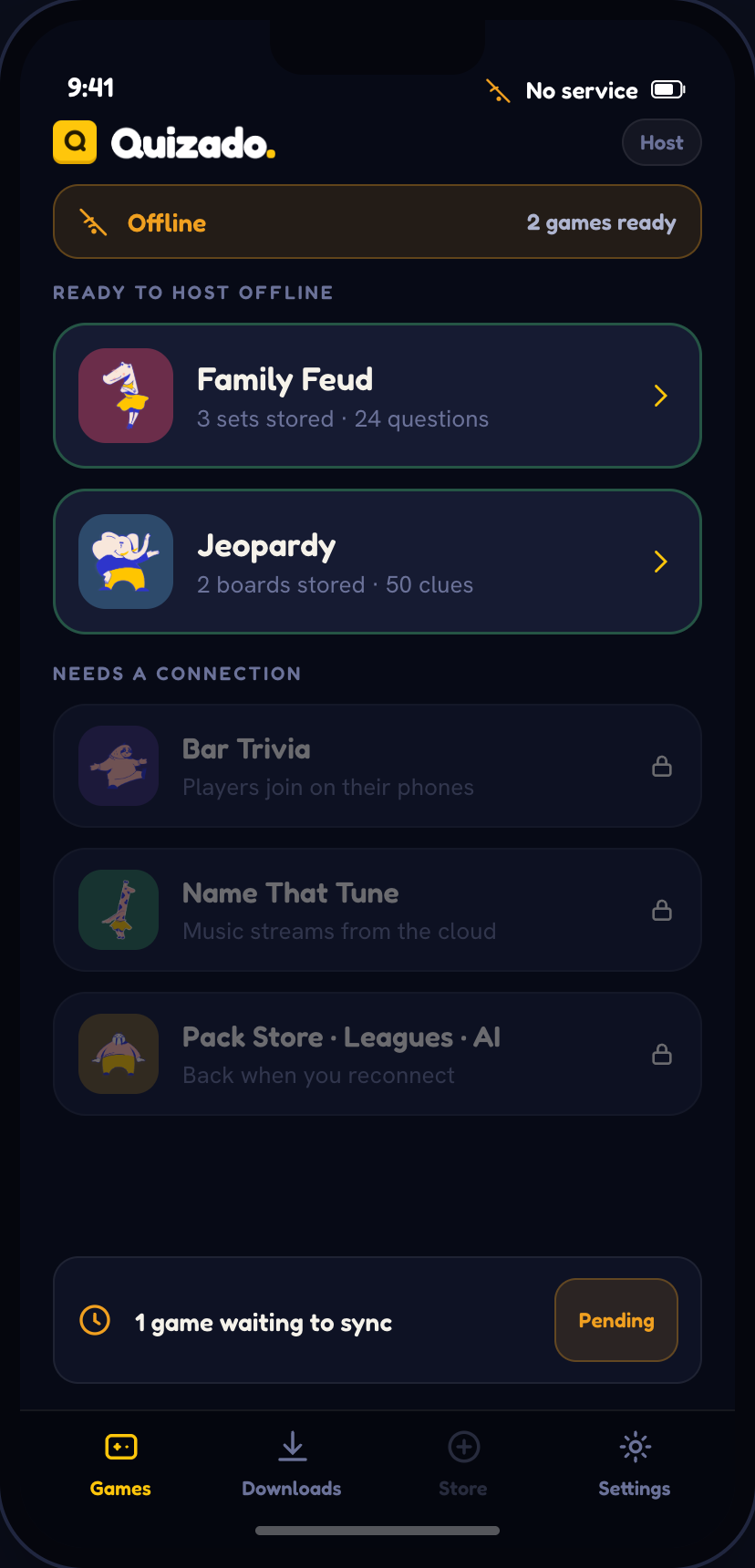
Family Face-Off, QuizoParty and Territory run entirely on your machine, from sets and nights you download ahead of time.
Included with every paid plan. Bar Trivia still needs a connection - players answer on their phones.
Family Face-Off, QuizoParty and Territory.
These are the three formats that run with no internet. No other game appears here - and we would rather say so than let you find out on the night.
Family Face-Off
Every round and the full scoring, plus the questions, answers and images from the sets you downloaded.
Phone buzzers. Teams shout their answer and you mark it on the host screen — strikes, awards and who was first.
QuizoParty
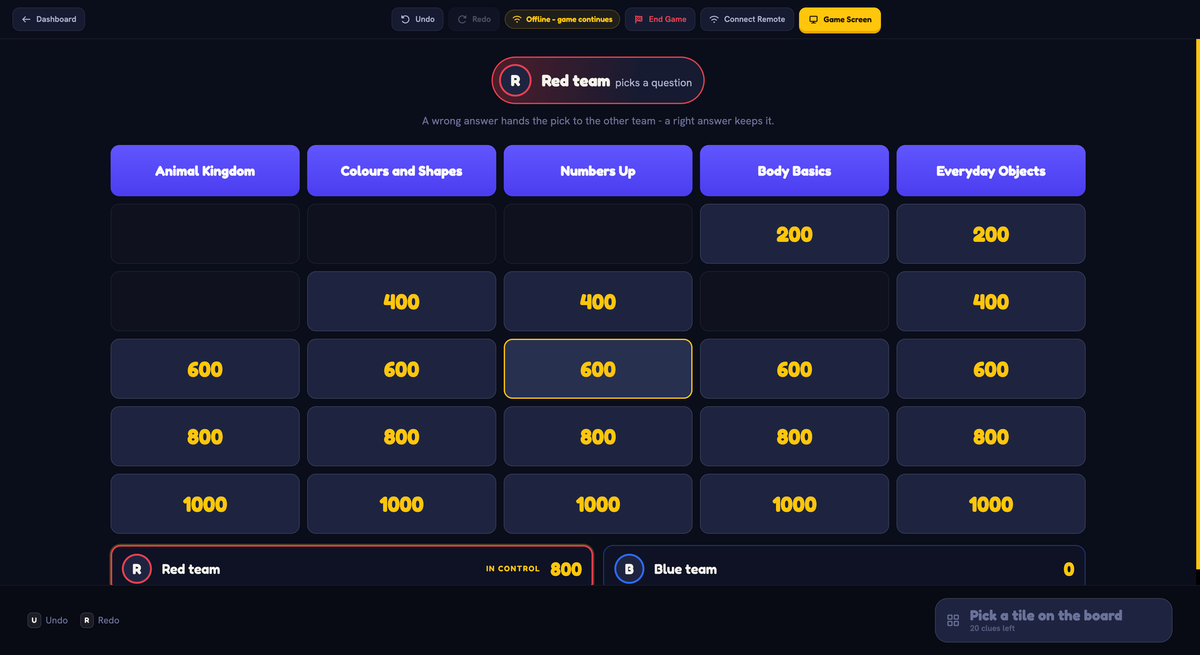
The full board with every category and point value, and the text and image clues from the boards you downloaded.
Phone buzzers, and audio and video clues — those are never stored. You call who buzzed in and award the points.
Territory
The board, the draw, the duels and both chess clocks, with the pictures of the Territory nights you downloaded.
Nothing on the night: Territory never uses phones. A new night and shareable recaps wait for a connection.
Four steps, one of them
before you leave the house.
Download on signal
Open Questions and store the Family Face-Off or QuizoParty sets you want, or download a Territory night. Your own sets download the same way.
Arrive and set up
Cast to the TV over local Wi-Fi or plug in over HDMI. No internet needed for either.
Host as normal
The board, the reveals and the scoring all run from your machine. Teams answer out loud and you mark it.
Sync when you reconnect
Scores, winners and the answer log upload on their own, and the recap emails go out then.
The honest list.
- Family Face-Off — full game, all rounds and scoring
- QuizoParty — full board, text and image clues
- Question sets and Territory nights you downloaded in advance
- Your own question sets, including edits made offline
- Casting the game screen to a TV over local Wi-Fi or HDMI
- Scores, winners and the answer log — saved locally
- Downloads stay playable for at least 7 days after your subscription ends
- Phone buzzers and player join codes
- Audio and video clues — they are never stored
- Buying or browsing new question packs
- AI question generation
- League standings and shareable recaps
- Bar Trivia, including Catch That Tune, music bingo and wager rounds
- Refreshing an expired download
Keep your upcoming sets on your device.
Schedule your games and the next three Family Face-Off or QuizoParty nights download on their own. Large sets wait for Wi-Fi, so offline is the safe state without you planning for it.
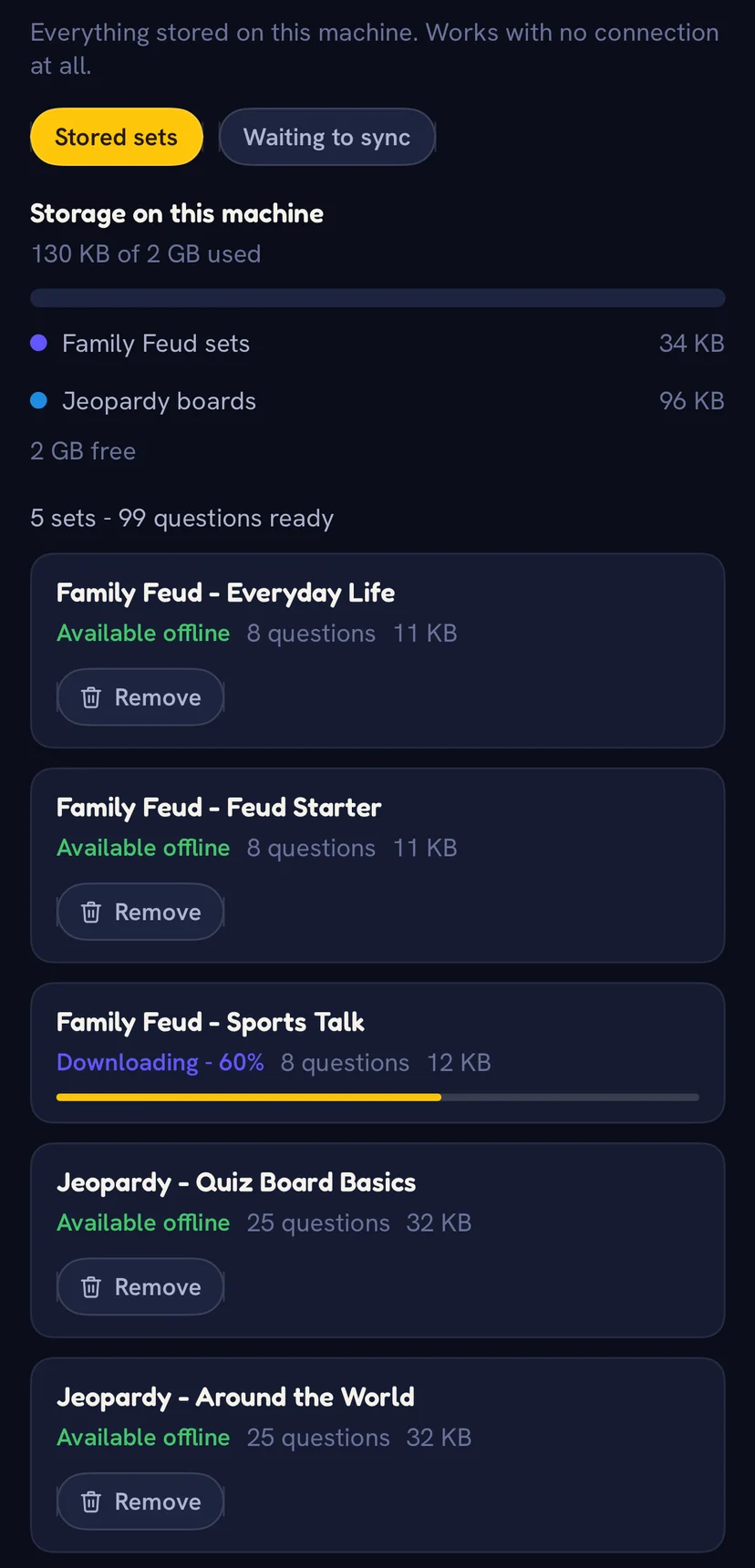
Pick a storage budget of 2, 4 or 8 GB. Past it, the oldest downloads make room — never your next night's set.
The Offline Library shows what your downloads use. Settings clear them in one action, keeping any set with edits waiting to upload.
Downloads keep working as long as you are subscribed, and for a week after.
The desktop and mobile apps store sets and their images. Download them before you leave. Browser hosting requires an internet connection.
Five checks before
an offline game.
- Download the Family Face-Off or QuizoParty set, or the Territory night, you are hosting.
- Test the cast to the TV or projector you will use.
- Tell the teams that answers are called out loud, not typed on phones.
- Charge the device you are hosting from.
- Check your subscription is current — downloads expire with it, plus a week.
Straight answers.
Which games work without internet?
Family Face-Off, QuizoParty and Territory, from sets and nights downloaded in advance. Bar Trivia, Catch That Tune, music bingo and wager rounds all need a connection because players answer on their phones.
How do teams buzz in if there is no Wi-Fi?
They do not. Teams shout their answer and you decide who was first, then mark it on the host screen. You control turns and scoring from the host device.
Do I need to prepare anything?
Download the set while you have signal. Check that your scheduled game sets are downloaded before leaving. Large sets wait for Wi-Fi.
How long do downloads stay playable?
As long as you are subscribed, and for at least 7 days after a subscription ends. After that a download has to be refreshed, which needs a connection.
How many sets can I store?
Choose a storage budget of 2, 4 or 8 GB. Past it, the oldest downloads make room — never the set for your next scheduled night.
What happens to my scores?
Saved locally during the game, then uploaded when you reconnect — scores, winners, the answer log and any edits you made offline. Recap emails go out then.
Stop planning around the venue Wi-Fi.
Download your Family Face-Off or QuizoParty sets or your Territory night this afternoon and host tonight, connection or not.
Offline hosting needs the desktop or mobile app · Bar Trivia needs a connection